Installation
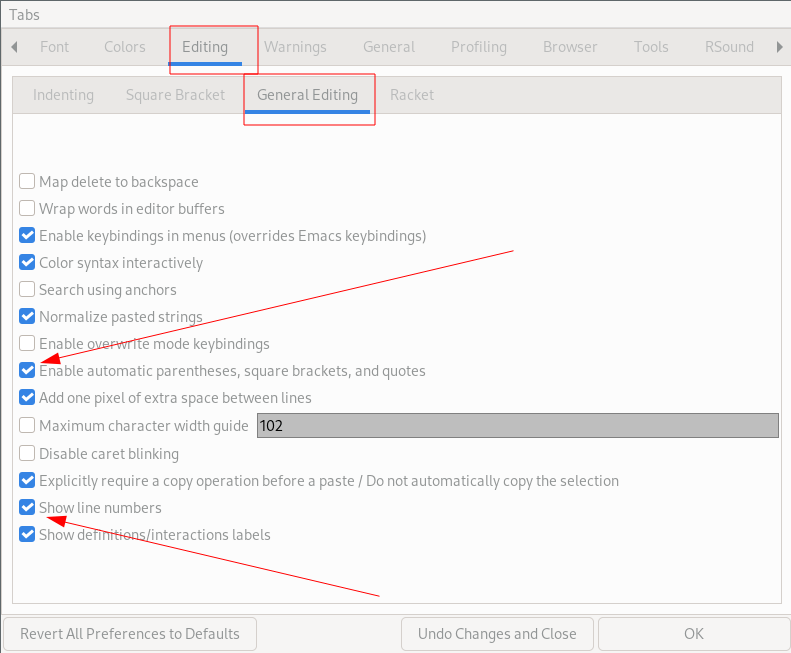
If these are not already on, please turn them on, otherwise you don’t need to do anything.
- Download Racket https://download.racket-lang.org/
Edit->Preferences->Editing->General Editing->Show line numbersView->Use Horizontal Layout(optional but more space)- In the Bottom Left Corner, Choose Language -> Beginning Student
Optional:
- For autocompletion:
File->Package Manager->drcomplete Edit->Preferences->Editing->General Editing->Enable automatic parentheses, square brackets, and quotes(it can lead to editing problems if you’re not paying attention)